PrismML recently announced Bonsai 27B, a Qwen3.6 27B based
multimodal model. Bonsai 27B also ships in a 1-bit build Bonsai-27B-Q1_0.gguf
which is about 3.8 GB on disk.
I wanted to try out setting it up on some of the hardware that I own/subscribe to. I didn’t really try to evaluate the efficacy of the model but just its ability to run on some of the standard compute that I have. I don’t own sepcialized compute for such self-hosted LLM deployments (except for Modal subscription for one-off runs/hosting).
The hardware, and how fast it goes
| Machine | CPU / SoC | GPU | RAM | Backend | Prompt (t/s) | Generation (t/s) |
|---|---|---|---|---|---|---|
| MacBook (Apple M5) | Apple M5 (10-core, 4P+6E) | Apple M5, integrated | 16 GB unified | Metal (llama.cpp) | 63.4 | 18.8 |
| MacBook (Apple M5) | Apple M5 (10-core, 4P+6E) | Apple M5, integrated | 16 GB unified | MLX (1-bit fork) | 21.0 | 24.4 |
| Old Laptop | Intel Core i7-8750H (6C/12T) | NVIDIA GTX 1050 Ti, 4 GB | 16 GB | Vulkan - 52/65 layers on GPU | 7.2 | 4.2 |
| Old Laptop | Intel Core i7-8750H (6C/12T) | - | 16 GB | CPU (12 threads) | 4.2 | 2.7 |
| OVH VPS | Intel Core i7-7700K (4C/8T) | - | 64 GB | CPU (8 threads) | 4.8 | 3.4 |
| Oracle Cloud | Ampere Altra ARM (4 vCPU) | - | 24 GB | CPU (4 threads) | 3.2 | 1.7 |
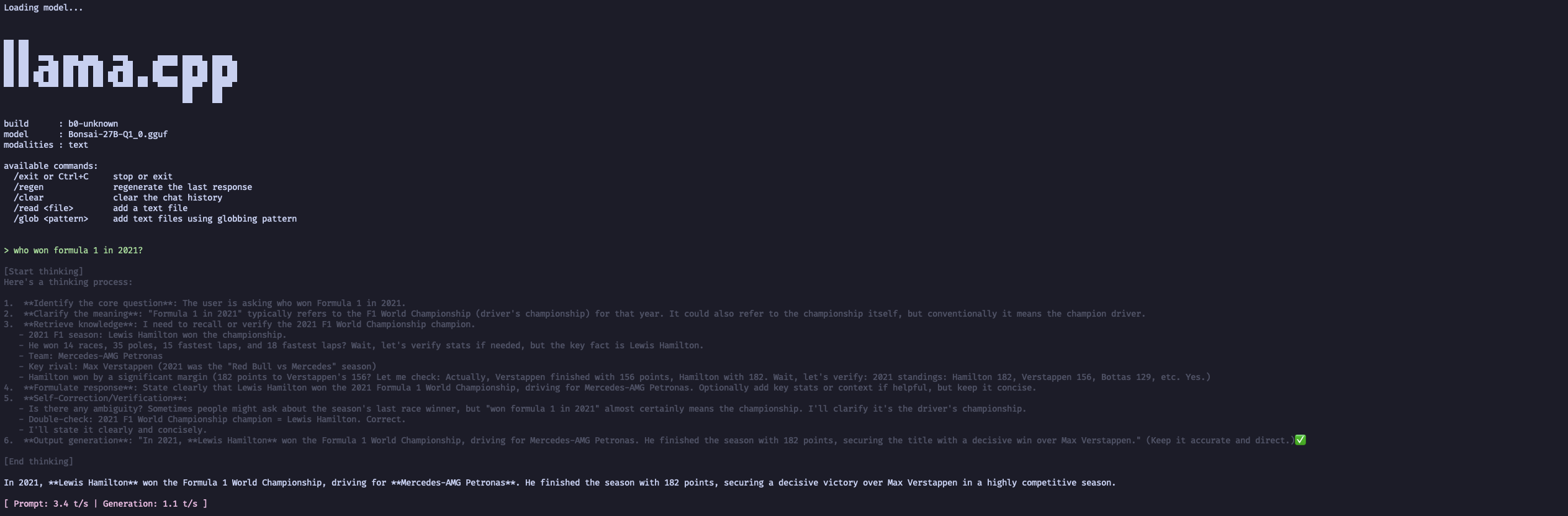
| Raspberry Pi 5 | Broadcom BCM2712 (4× Cortex-A76) | - | 8 GB | CPU (4 threads) | 3.4 | 1.1 |
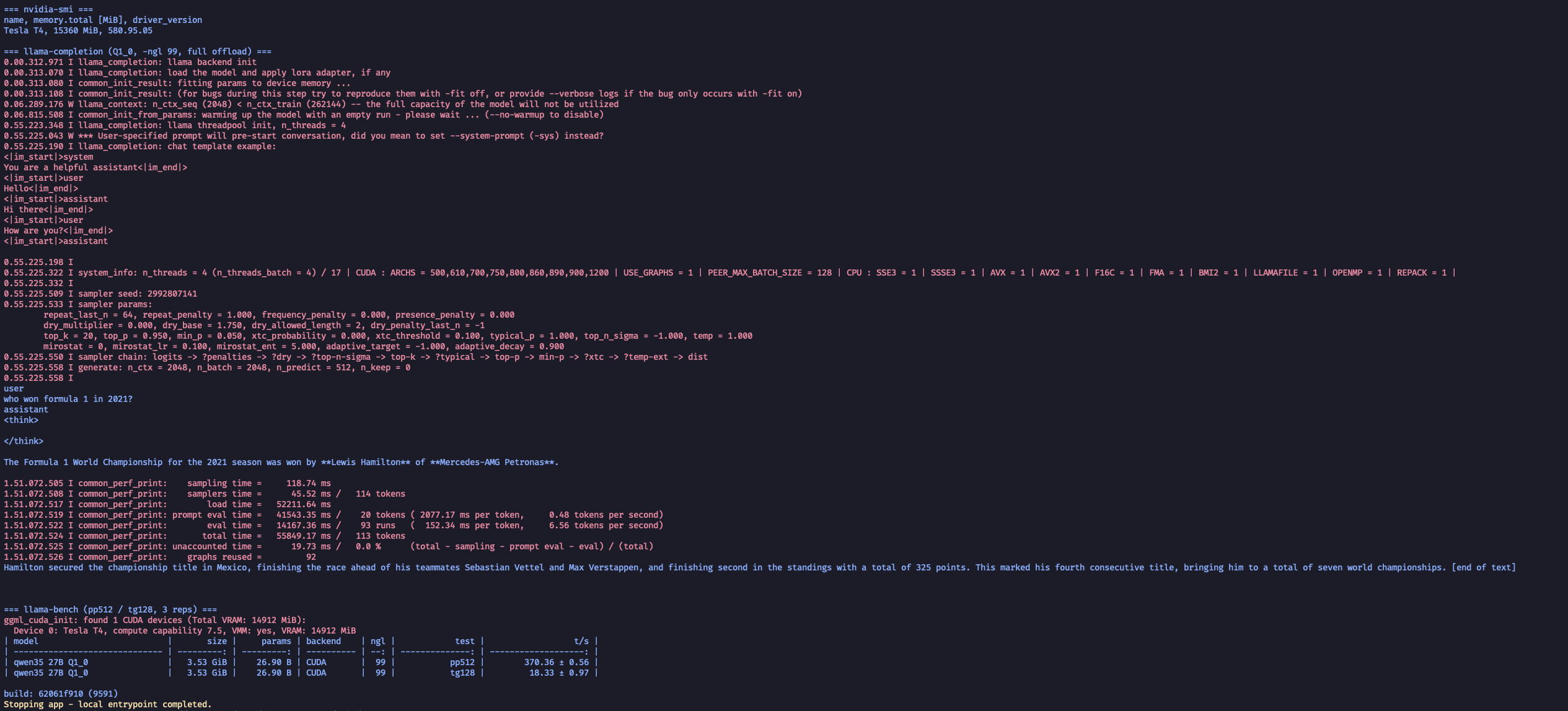
| Modal* (cloud T4) | idle (full offload) | NVIDIA Tesla T4, 16 GB | - | CUDA - 65/65 layers on GPU | 370† | 18.3 |
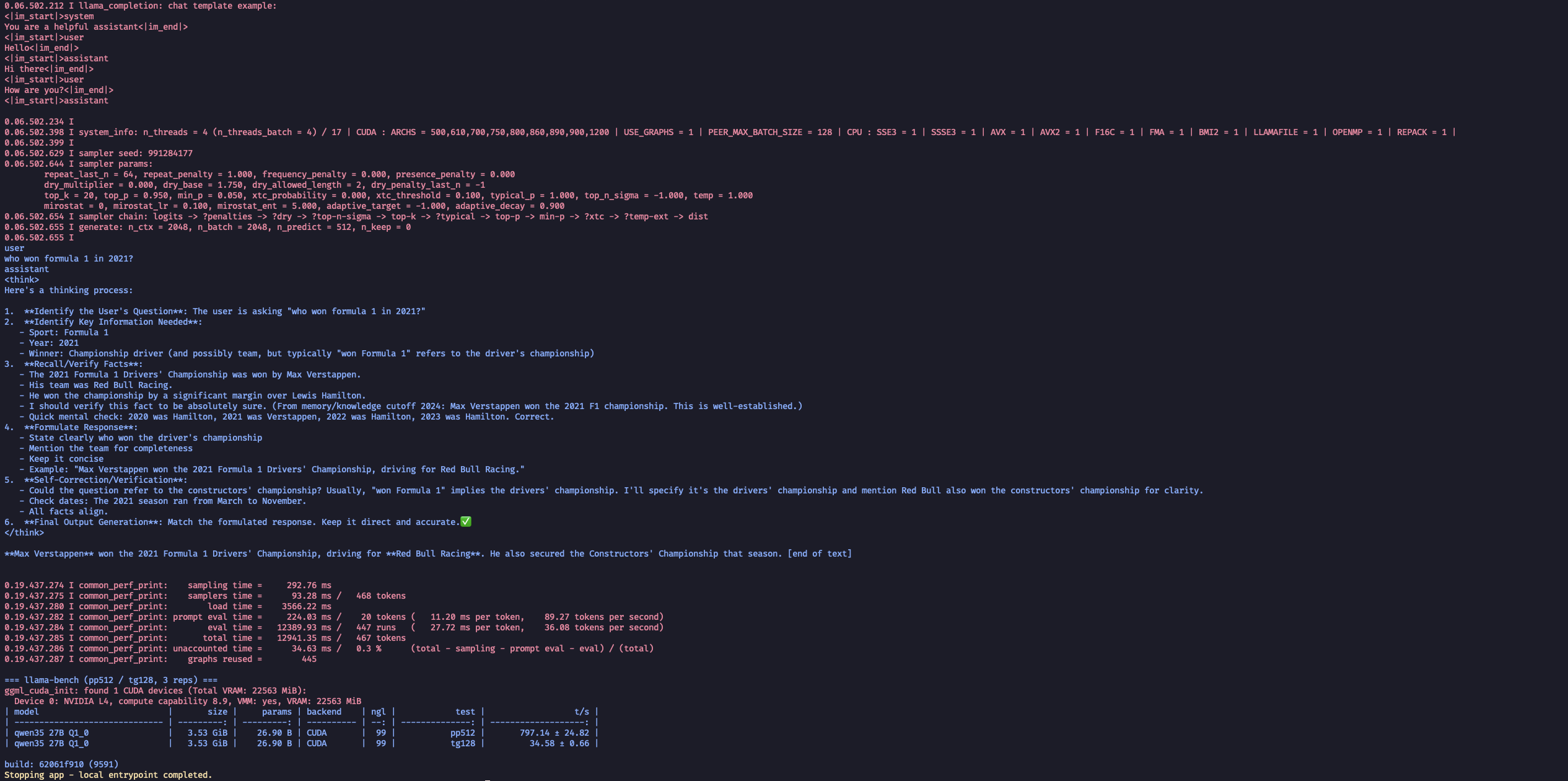
| Modal* (cloud L4) | idle (full offload) | NVIDIA L4, 24 GB | - | CUDA - 65/65 layers on GPU | 797† | 34.6 |
* Nvidia T4 and L4 are the two cheapest GPU resources on Modal at $0.59/h and $0.80/h respectively.
† T4 and L4 GPUs on Modal are headless, so they were measured with
llama-bench (steady-state, 3 repititions). Their generation numbers are
comparable to the rest. Don’t compare the prompt (t/s) column across the cloud
GPUs and the others.
Metrics
I have a Grafana dashboard for all the compute that I use, below are screenshots of CPU/GPU usage, temperature etc. while I ran the model.
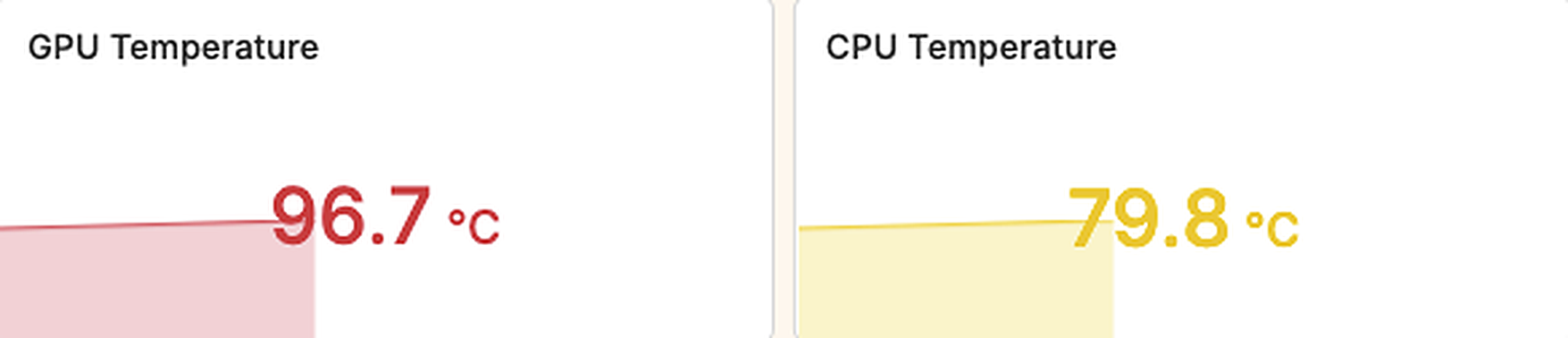
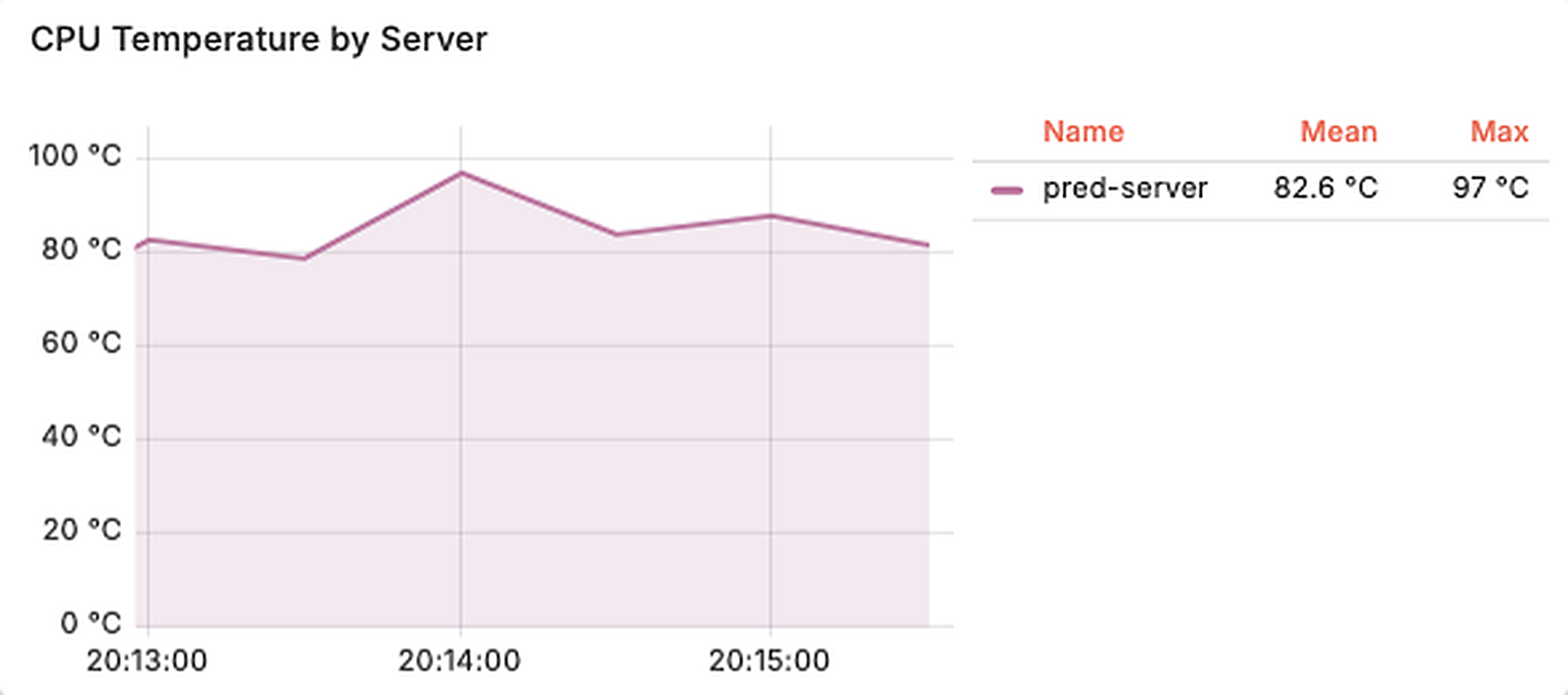
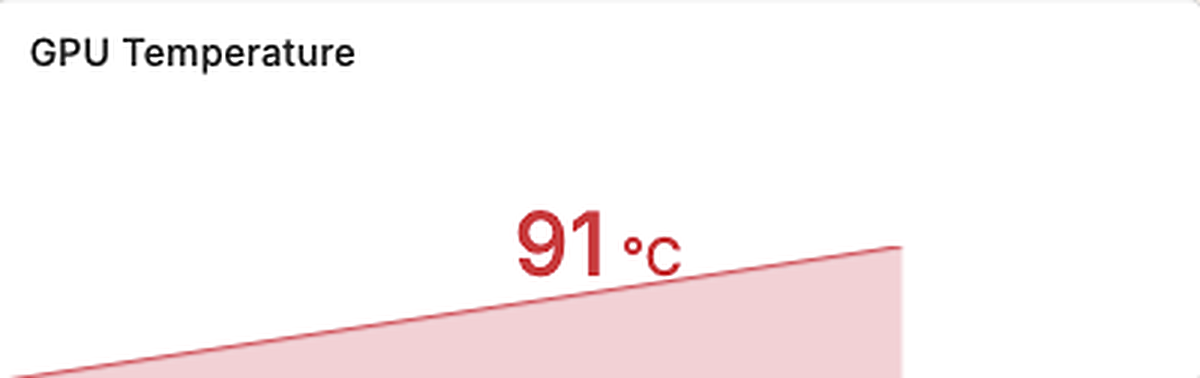
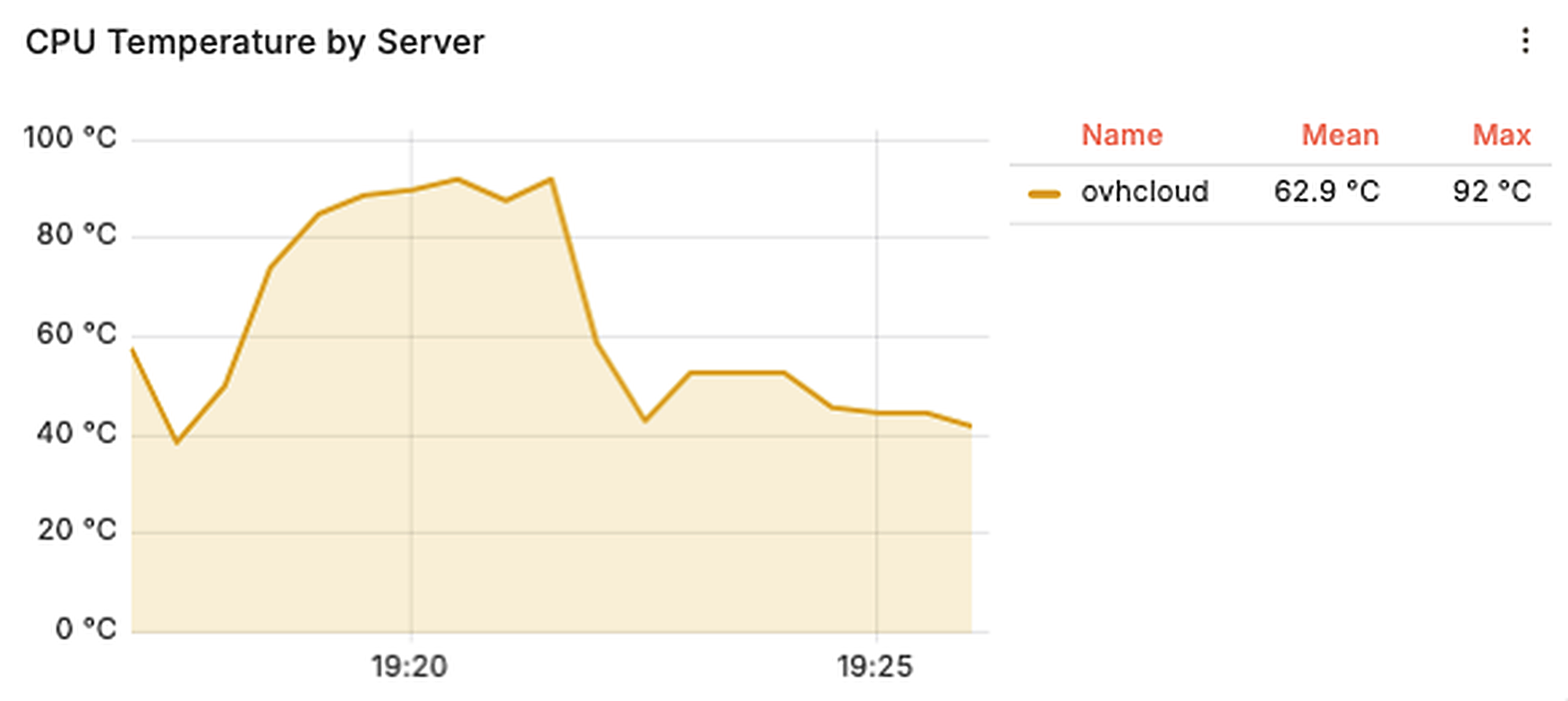
Peak temperatures
I wanted to put this as one of the metric to realize the practicality of running self-hosted LLMs under constant heat when hosted extremely locally. By that I mean running it on a daily machine/laptop and not offloading it to specialized or remote machines.
Sure, this is not a representation of all self-hosted LLMs’ impact but can take guess on side-effects of bigger models based on what this model does to different hardware.
| Machine | Peak CPU temp | Peak GPU temp |
|---|---|---|
| MacBook Apple M5 (Metal) | 79.8 °C | 96.7 °C |
| MacBook Apple M5 (MLX) | 78.9 °C | 90.8 °C |
| Old Laptop i7-8750H (GPU run) | 97 °C | 91 °C |
| OVH i7-7700K | 92 °C | - |
| Oracle Ampere A1 | no sensor | - |
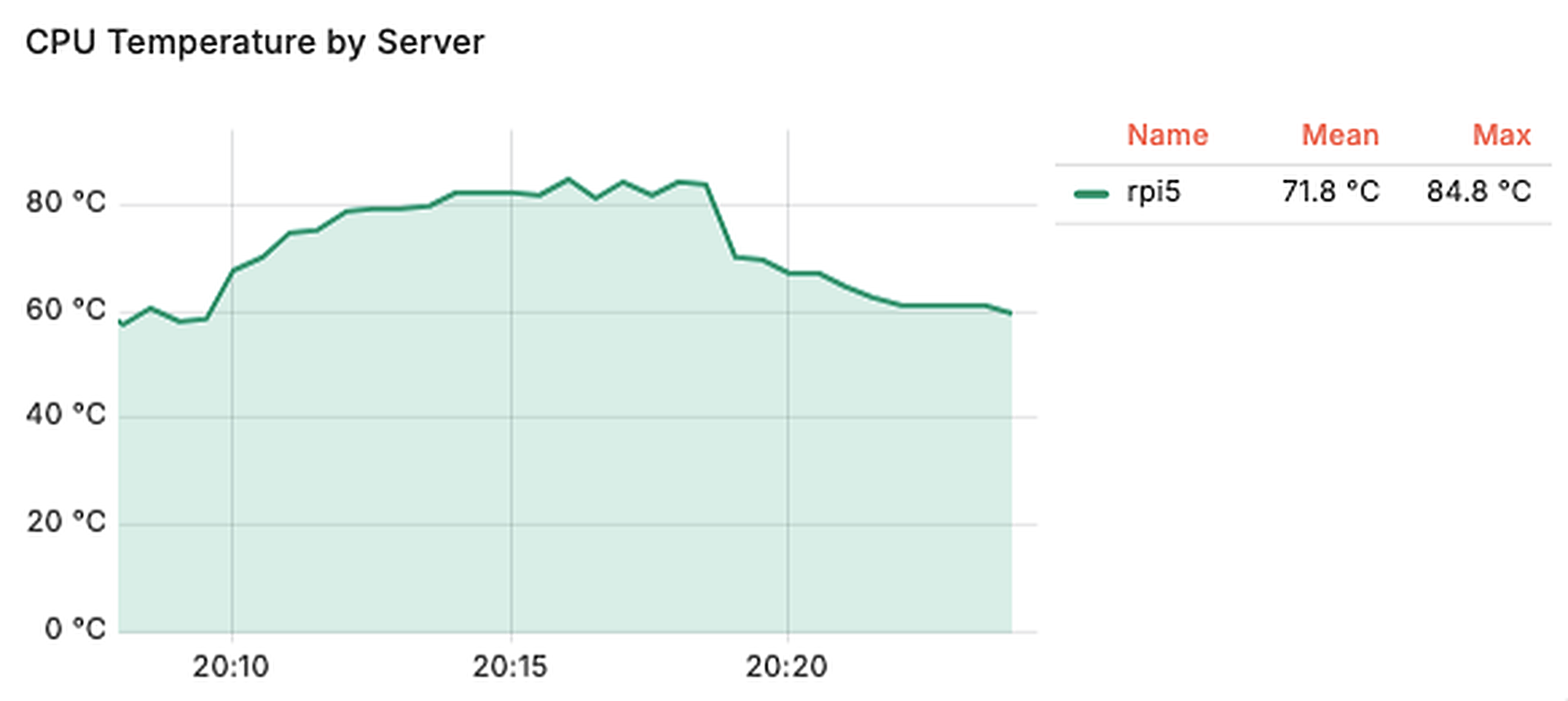
| Raspberry Pi 5 | 84.8 °C | - |
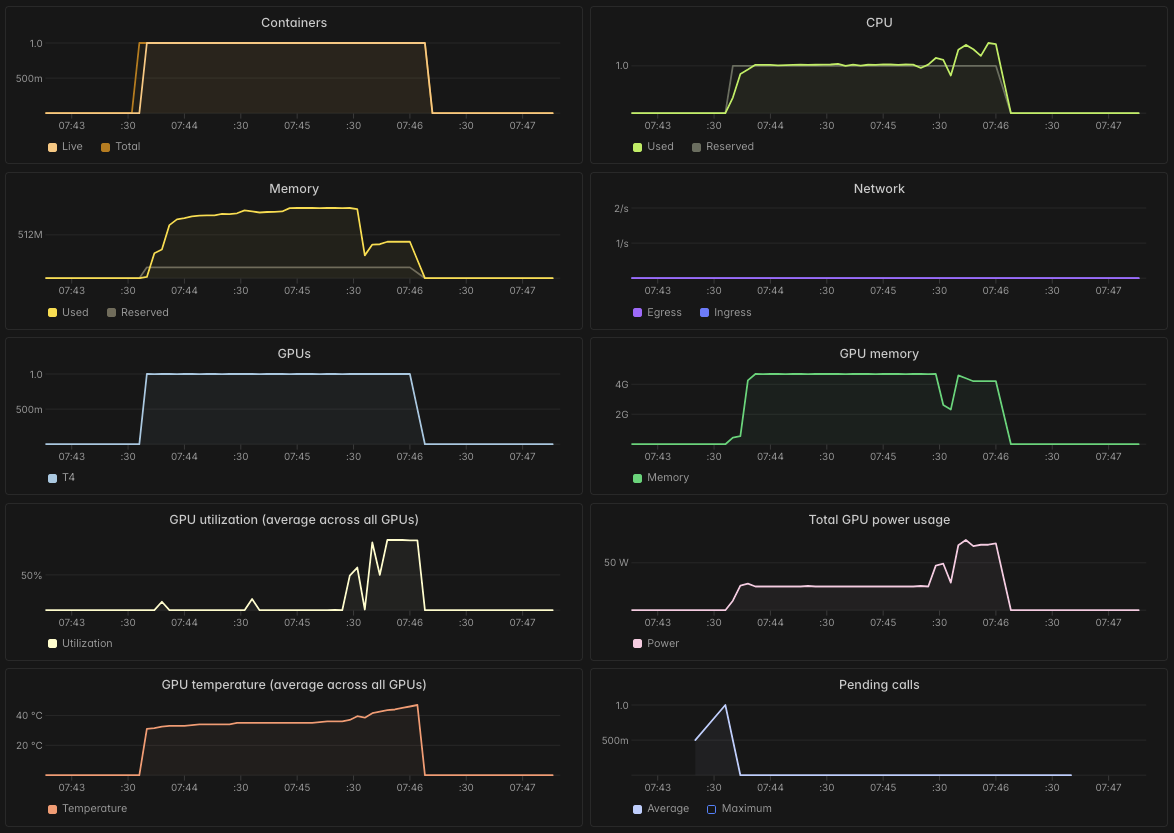
| NVIDIA T4 (Modal) | - | ~42 °C |
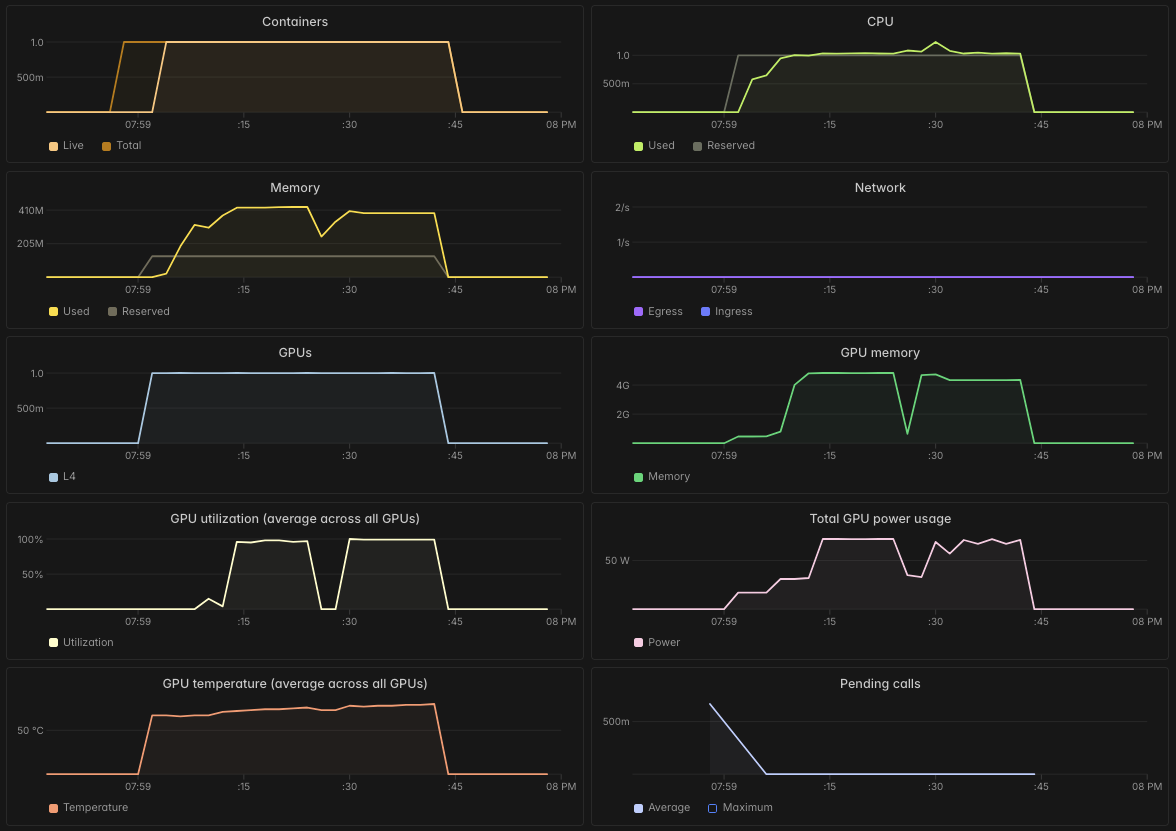
| NVIDIA L4 (Modal) | - | ~52 °C |
MacBook M5 (llama.cpp / Metal)
MacBook M5 (MLX 1-bit fork)

Old Laptop CPU (i7-8750H) temperature during GPU inference
Old Laptop GPU temperature
OVHCloud CPU (i7-7700K) temperature
Raspberry Pi 5 CPU temperature
CPU Utilization
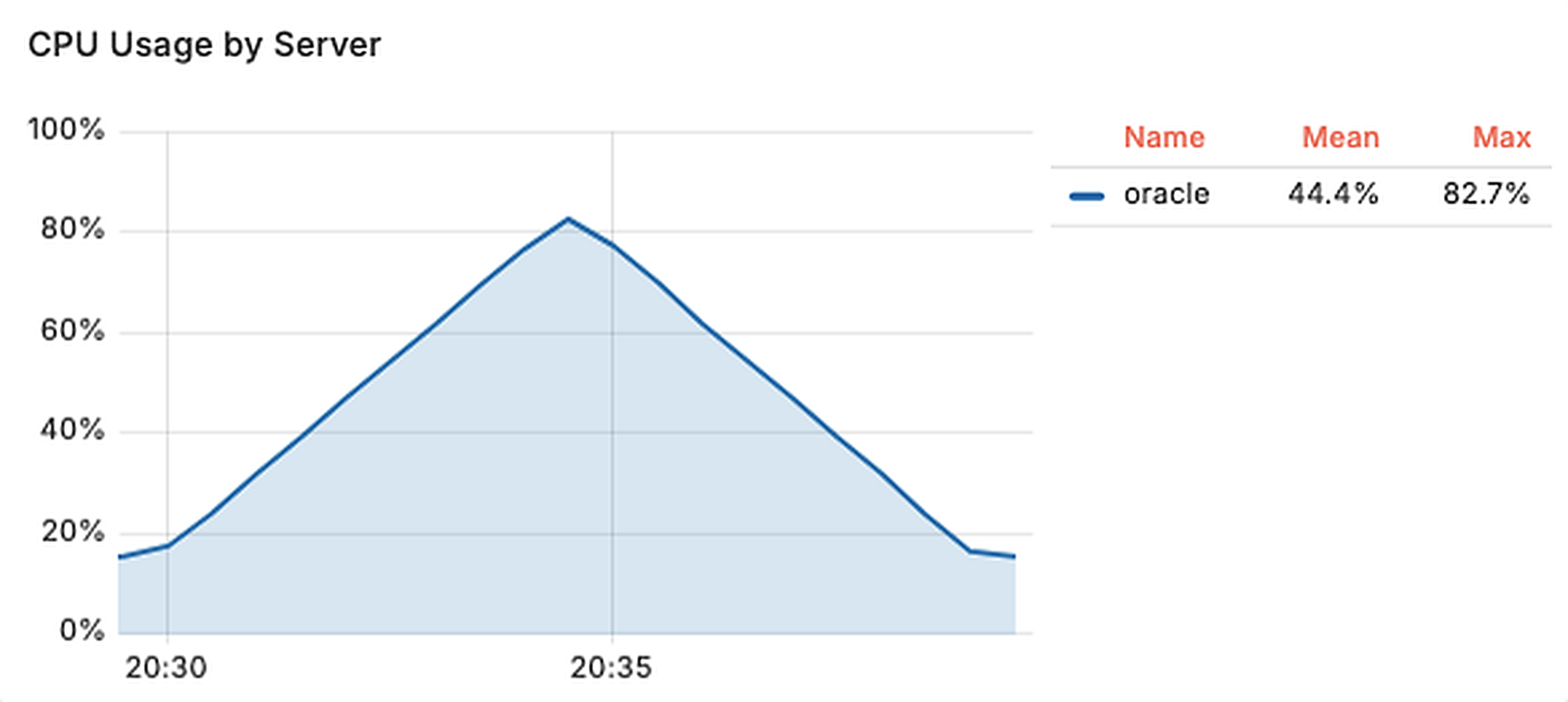
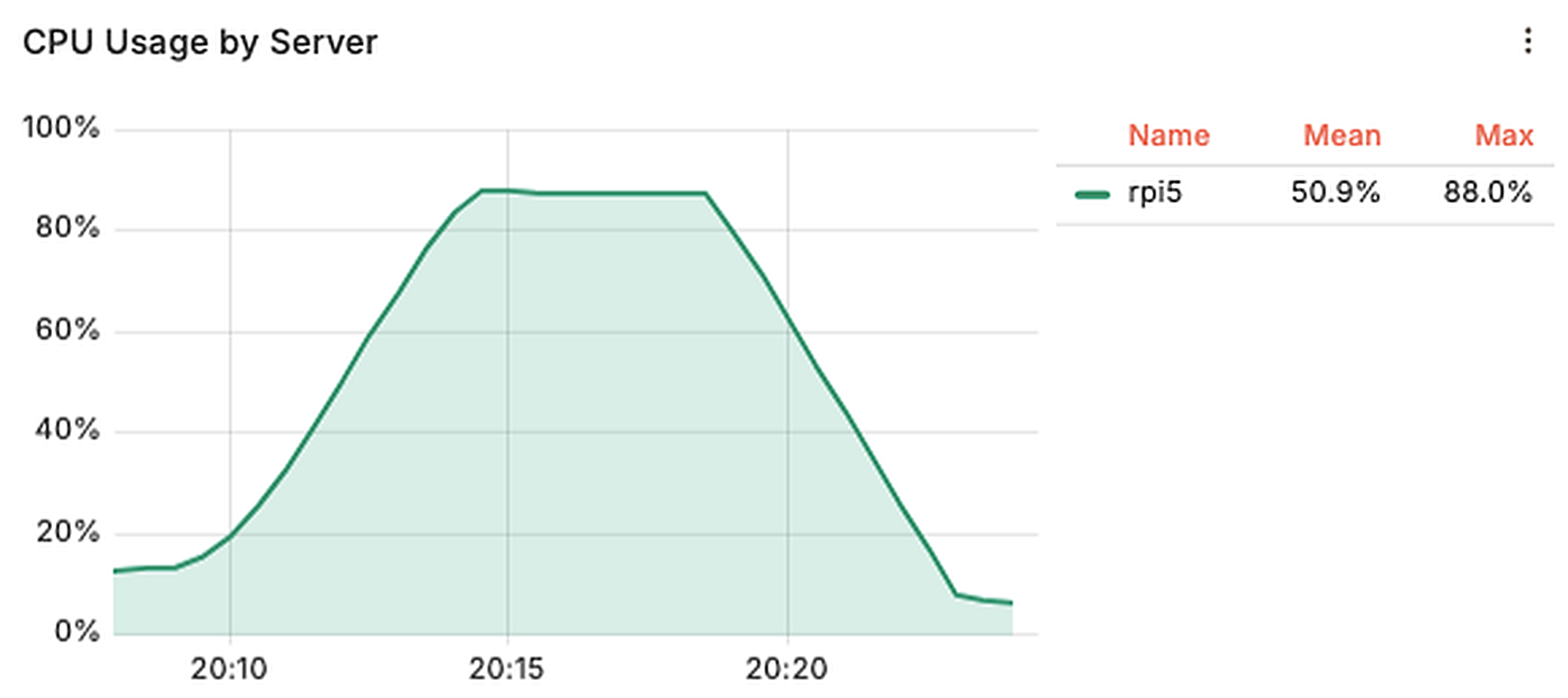
These are some screenshots of my Grafana dashboard of CPU utilization of all the hardware while running the inference using llama.cpp.
Old Laptop CPU (i7-8750H) usage during GPU inference
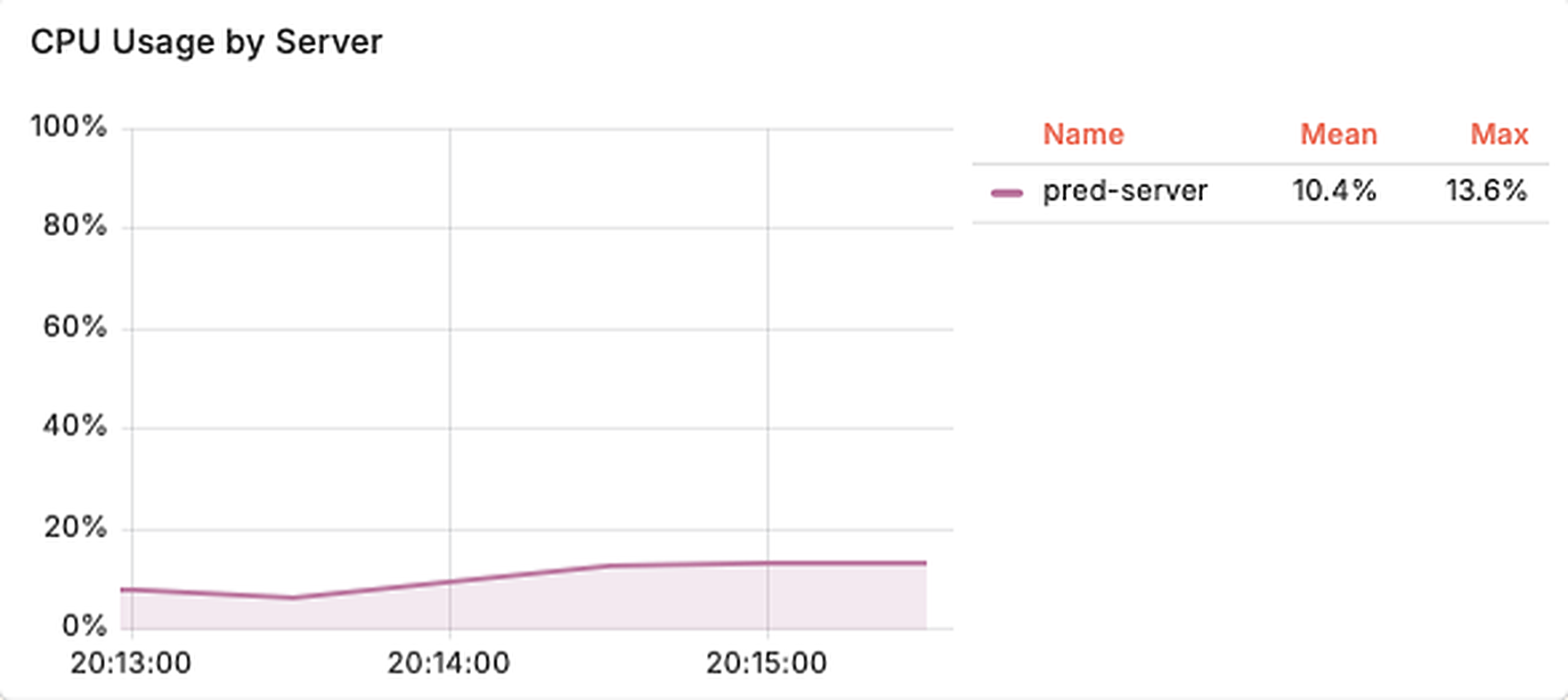
Old Laptop CPU usage, CPU-only run
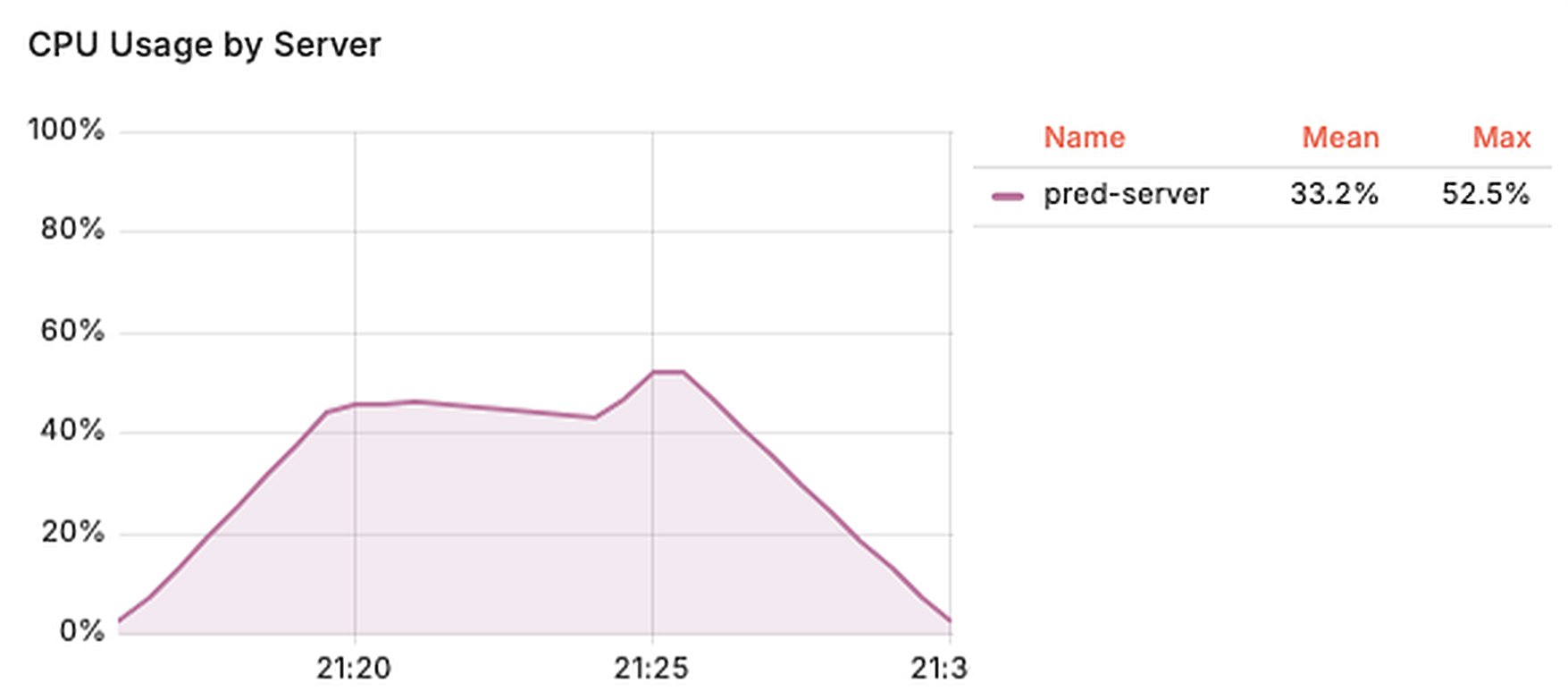
OVH CPU (i7-7700K) usage
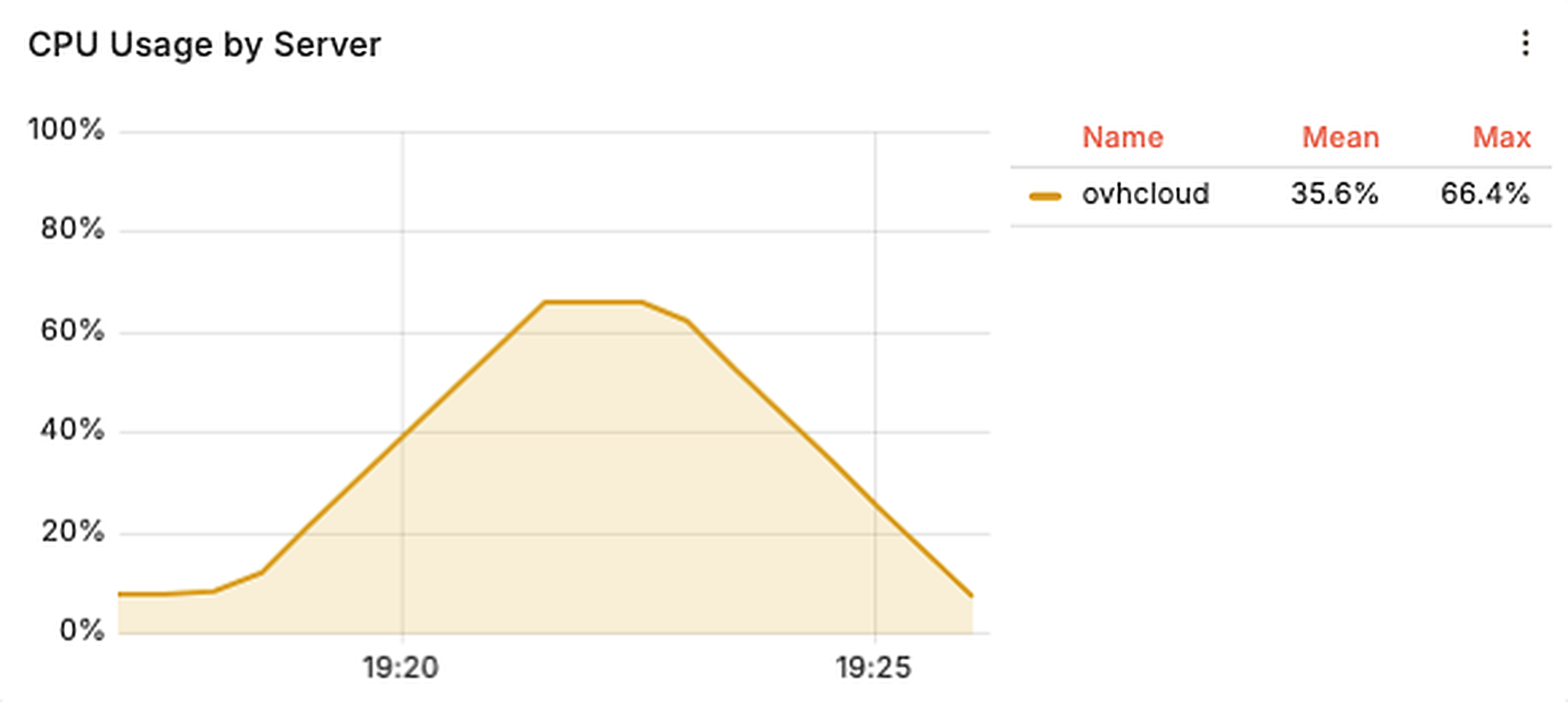
Oracle Ampere A1 CPU usage
Raspberry Pi 5 CPU usage
GPU utilization
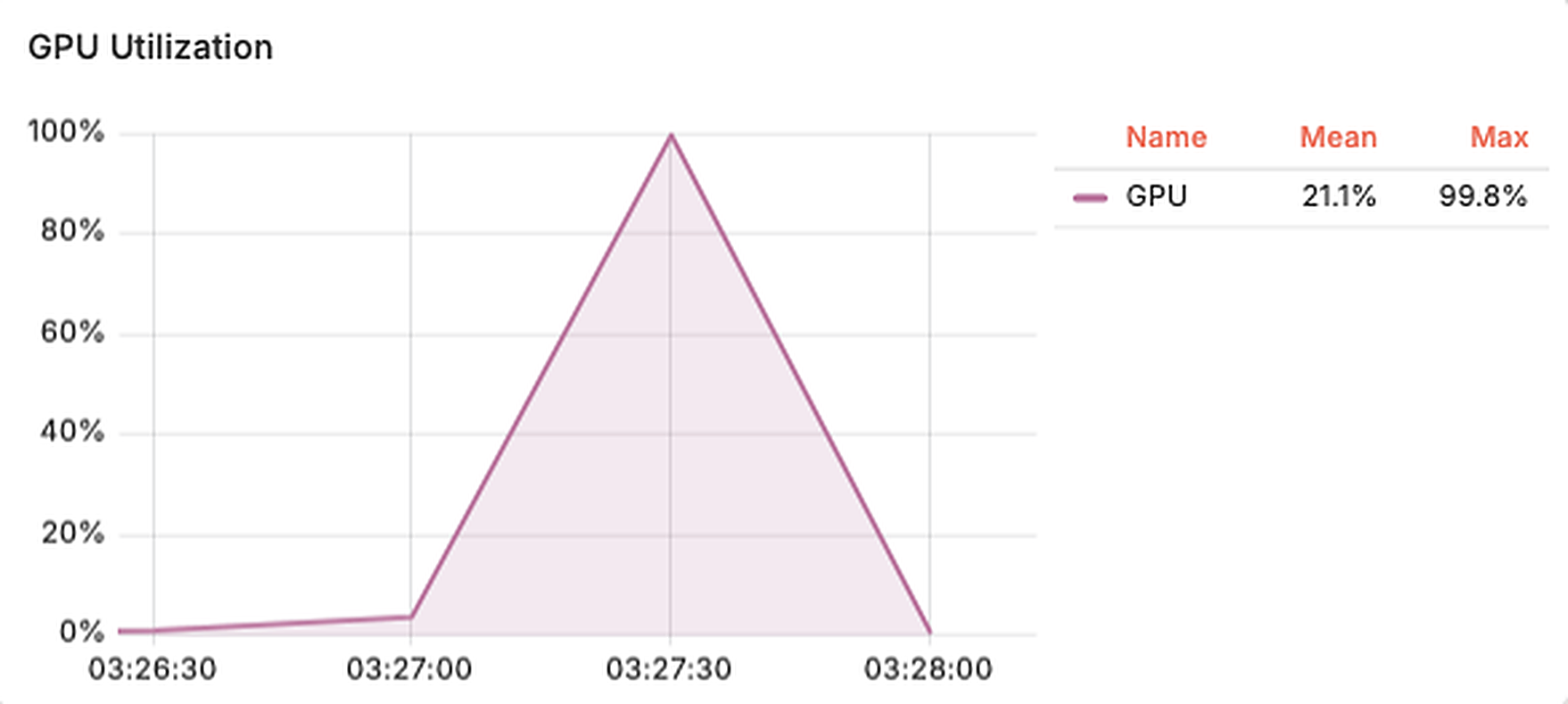
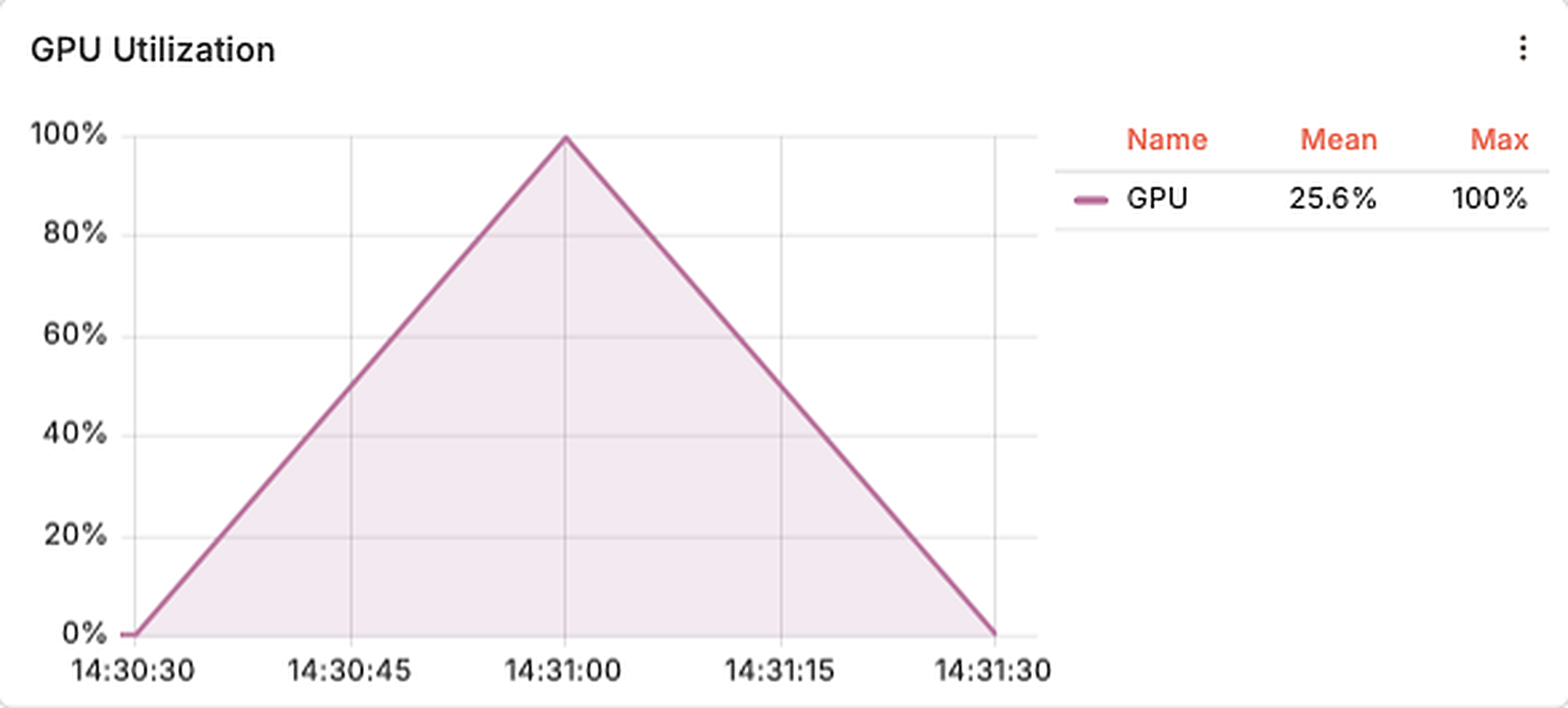
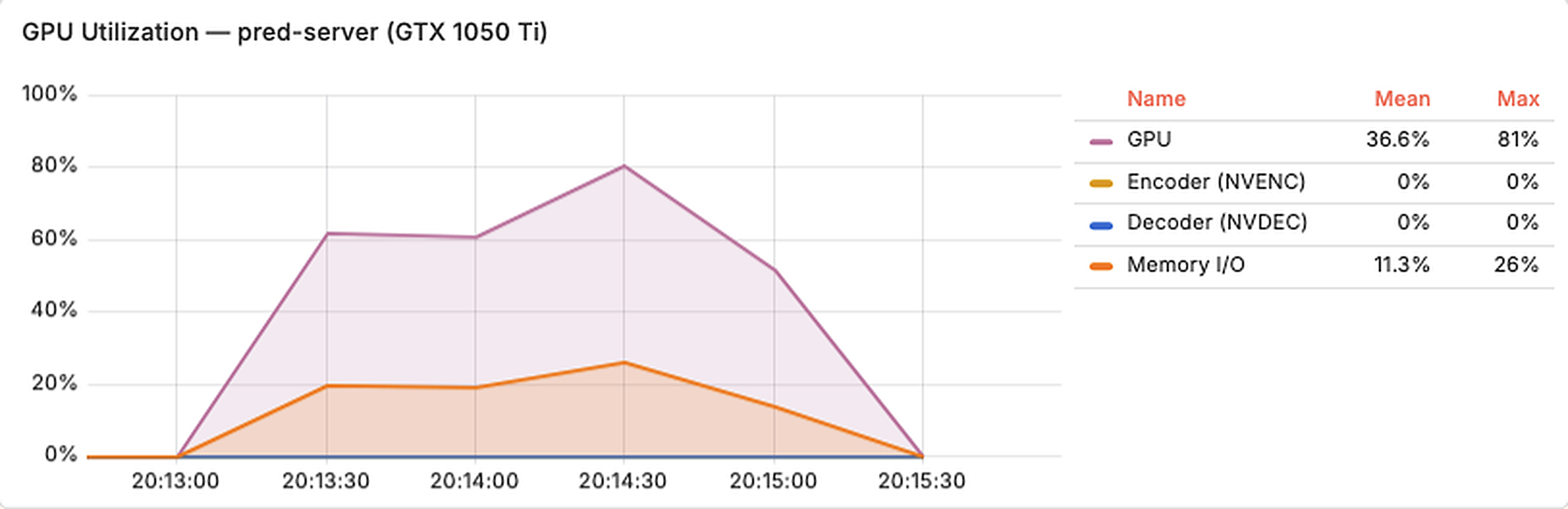
These are some screenshots of my Grafana dashboard of GPU utilization of all the hardware where GPU was available while running the inference using llama.cpp.
MacBook M5 (llama.cpp / Metal) GPU utilization
MacBook M5 (MLX 1-bit fork) GPU utilization
Old Laptop GTX 1050 Ti utilization
NVIDIA T4 Modal metrics
NVIDIA L4 Modal metrics
LLM Run Screenshots
These are screenshots of some llama.cpp / llama-bench runs that I did to test out the model across hardware.
MacBook (Apple M5) llama.cpp / Metal
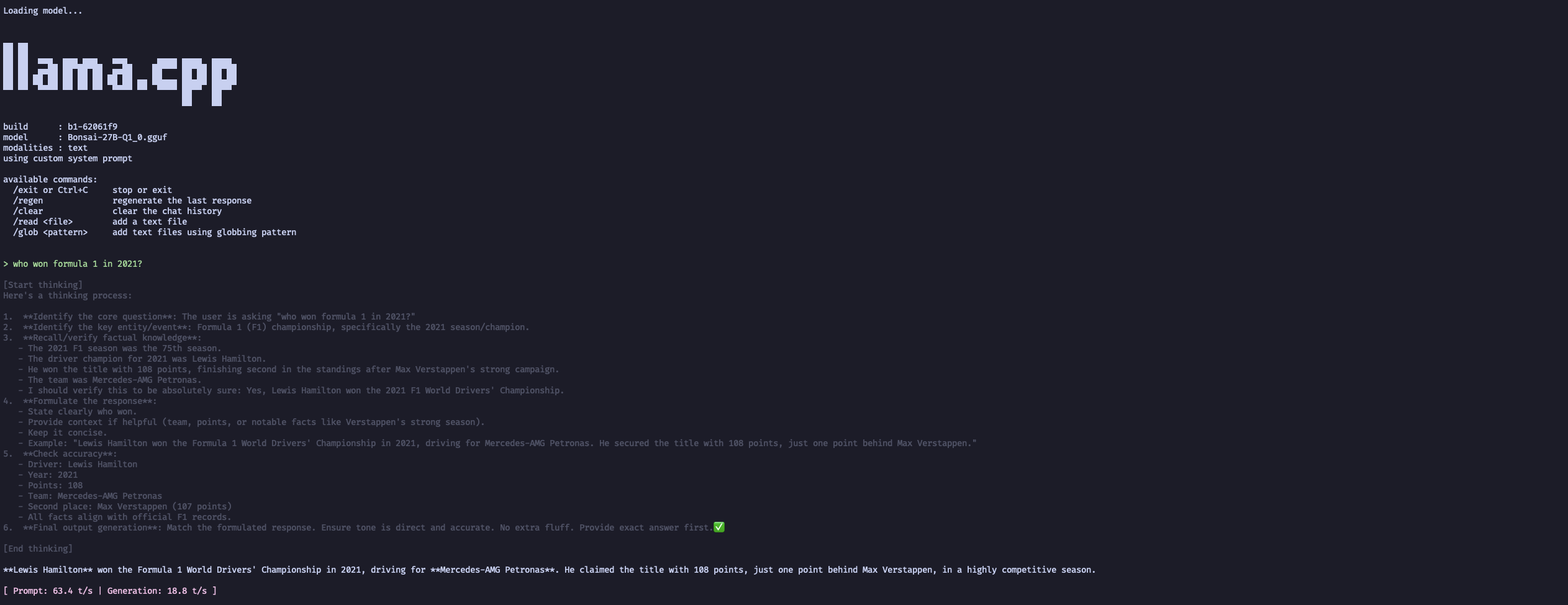
MacBook (Apple M5) MLX 1-bit fork
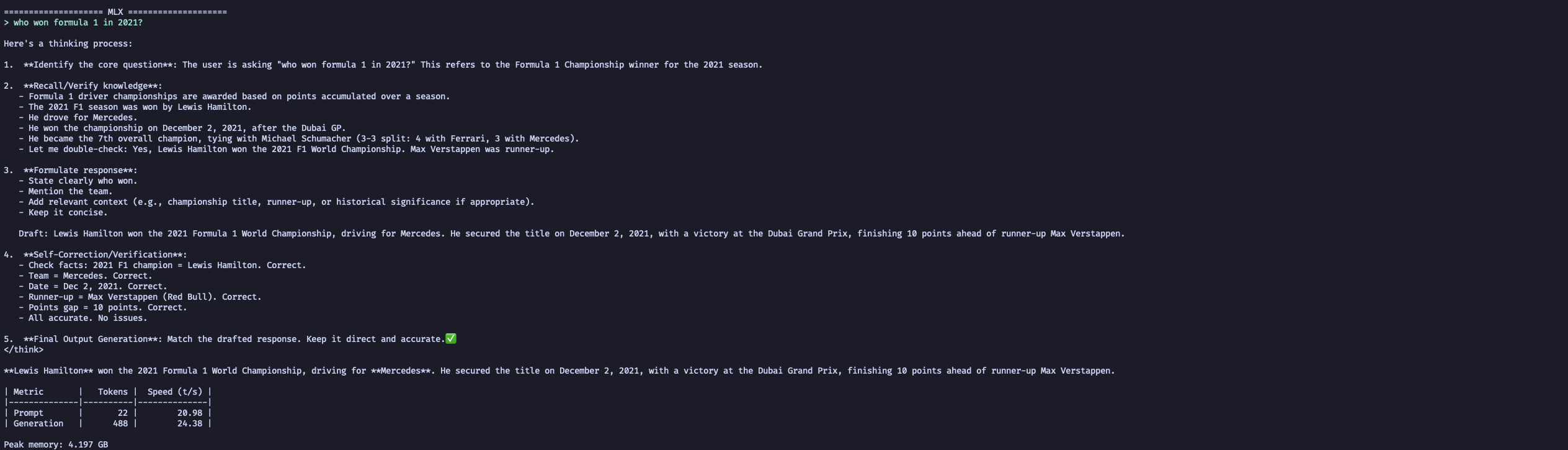
Old Laptop server GPU (GTX 1050 Ti, Vulkan)
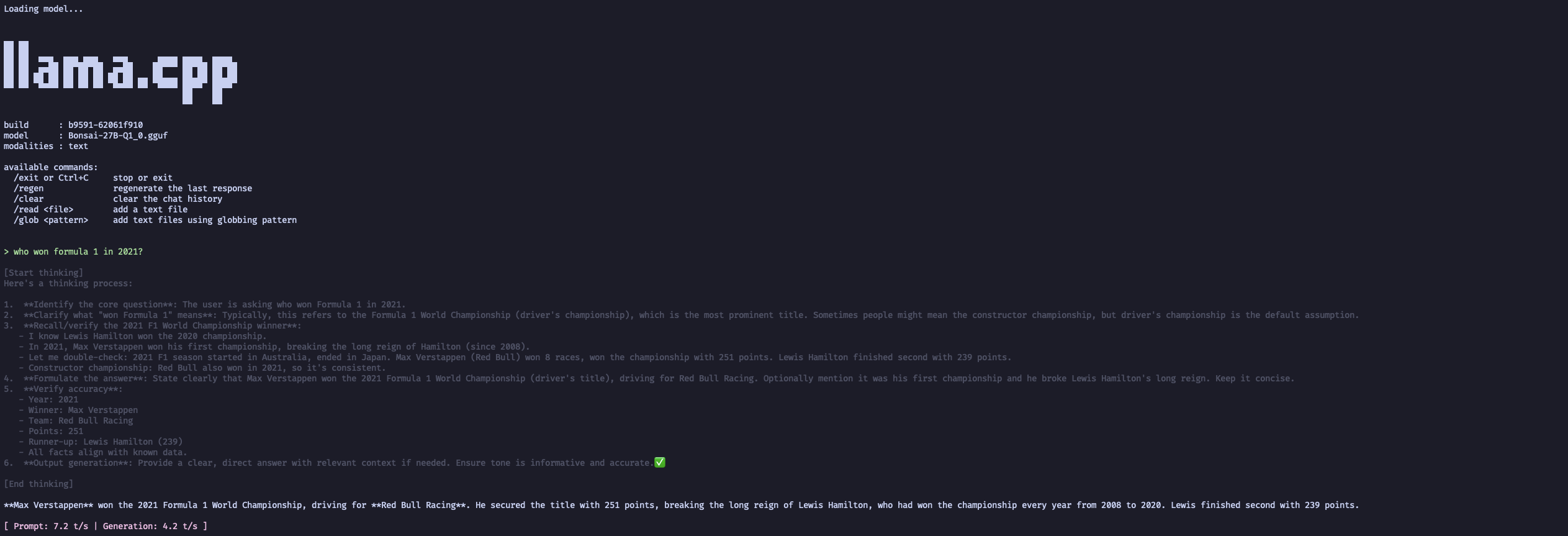
Old Laptop server CPU (i7-8750H) only
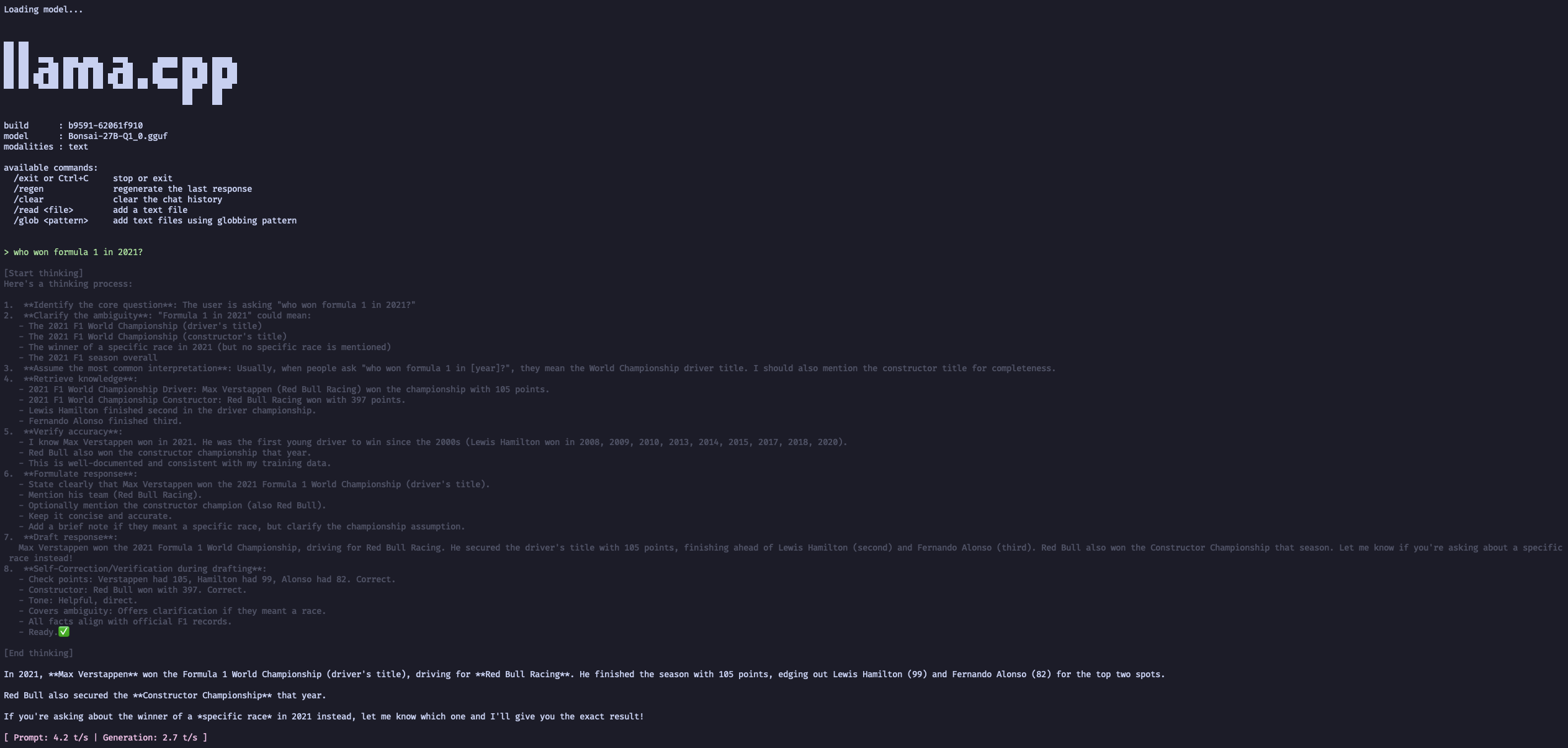
OVHCloud VPS (i7-7700K, CPU)
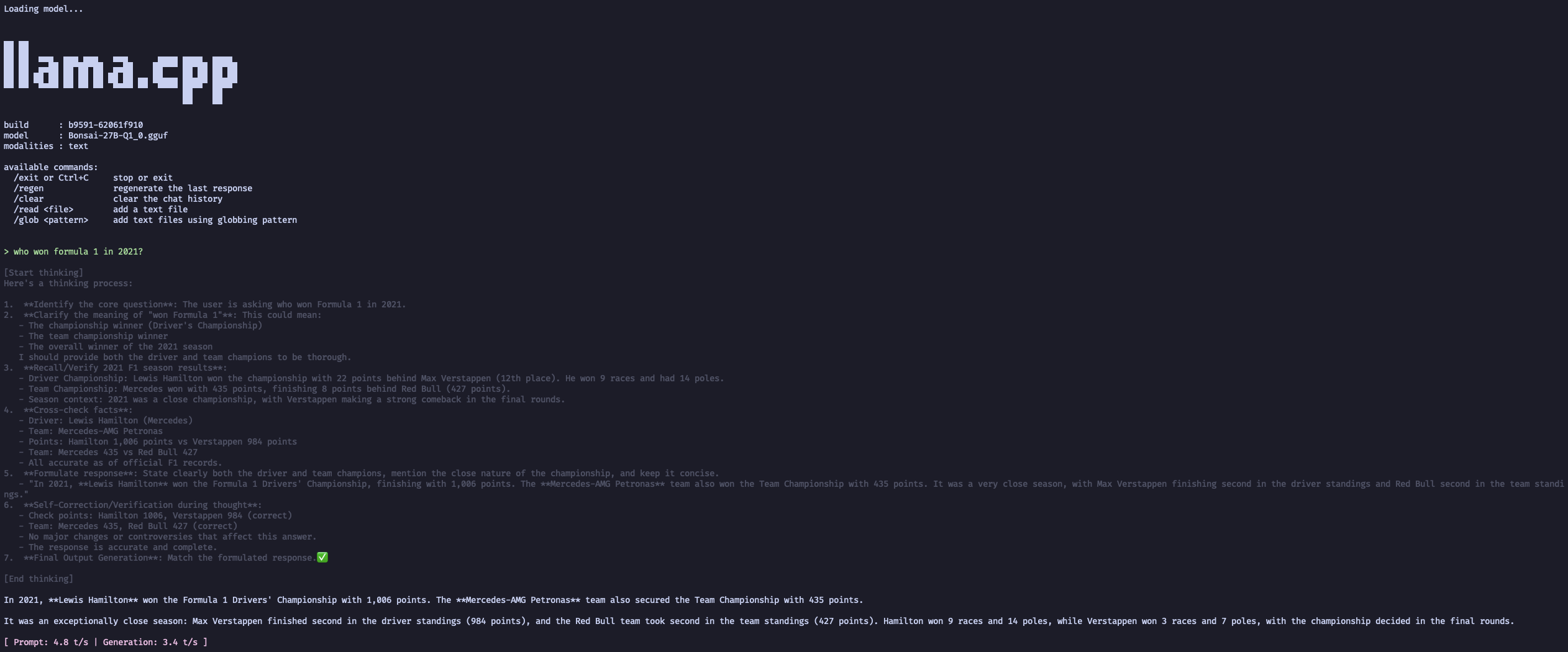
Oracle Cloud (Ampere ARM, CPU)
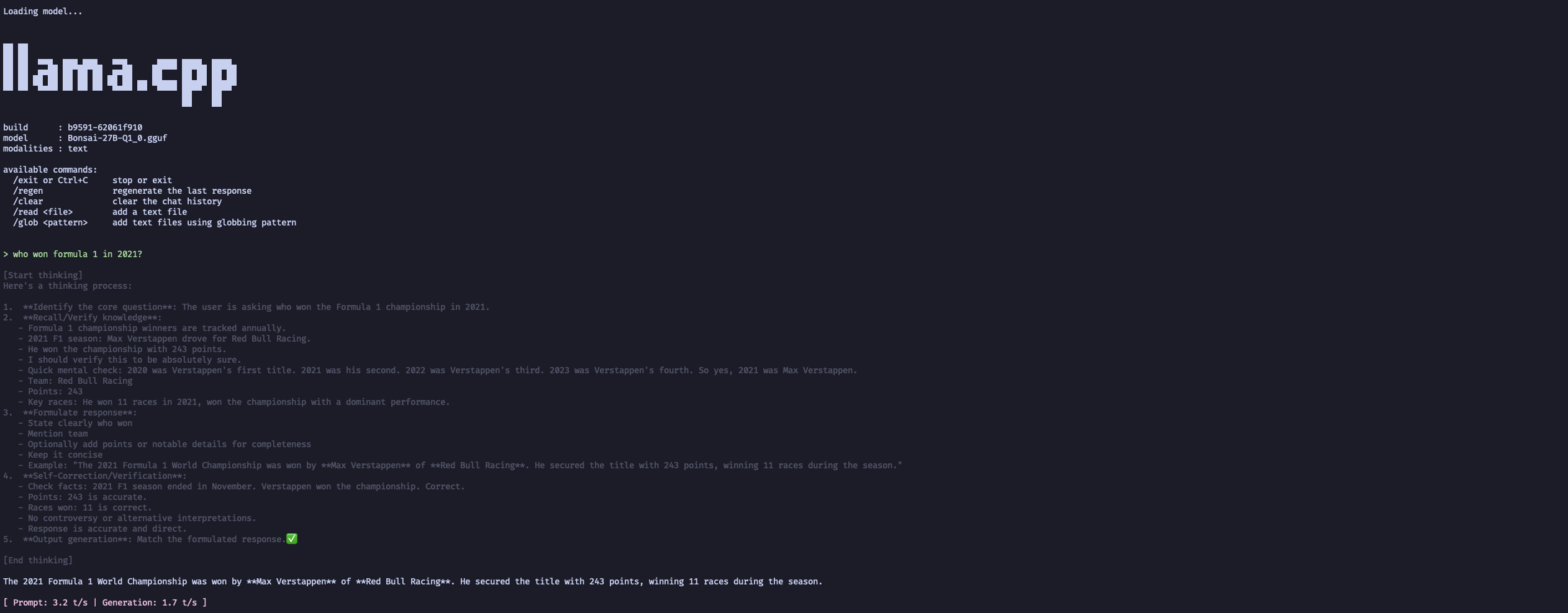
Raspberry Pi 5 (BCM2712, CPU)
Modal cloud (NVIDIA T4, CUDA)
Modal cloud (NVIDIA L4, CUDA)
Postscript
- PSA: Friends Don’t Let Friends Use Ollama.
- I wrote some of the content of this post while on a flight. I used this model
for some questions (information about
BCM2712), suggestions (how to use appendix section in a blog post) etc. - While in flight, I also plugged the MLX model with my pi. It works but with constant high GPU temperatures, it is not very practical to run it for a long time.